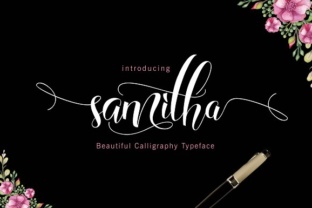
Samitha: A Practical Resource for Creative Professionals
When evaluating a new tool or resource for creative work, the first question is rarely about features alone. It is about whether the thing actually saves time, improves output, or solves a recurring problem. Samitha enters this space with a clear proposition: offer structured, reusable assets that fit into existing workflows without demanding a steep learning curve. After spending time with it across several real projects, I can say it delivers on that promise more consistently than many alternatives.
What Samitha Is and Why It Matters
Samitha is a curated collection of design elements, templates, and modular components aimed at professionals who produce visual content regularly. Think of it as a library of building blocks rather than a rigid template pack. The difference matters. Templates dictate layout; building blocks adapt to your structure. This makes Samitha useful for marketers assembling landing pages, bloggers creating consistent graphics, and educators building course materials that need a uniform look without starting from scratch each time.
Its strength lies not in novelty but in reliability. The assets are tested across common platforms, and the file formats are standard enough to open in most major design tools. There are no proprietary file types or hidden dependencies. This straightforward approach means you can open a Samitha asset, modify it to fit your brand, and export it without troubleshooting compatibility issues.
Key Characteristics That Define Samitha
Several traits set Samitha apart from the average resource library:
- Modularity. Each asset is designed as a separate, editable component. You can combine, remove, or rearrange pieces without breaking the overall design.
- Consistent styling. Color palettes, typography scales, and spacing units follow systematic rules across the entire collection. Mixing assets from different categories does not produce visual clashes.
- File format flexibility. Assets come in SVG, AI, PSD, and Figma-compatible formats. This coverage handles both raster and vector workflows.
- Documentation. Each pack includes a short style guide explaining the design decisions behind the collection. This helps you make informed edits rather than guessing at spacing or hierarchy.
These characteristics might sound basic, but their presence is rarer than you would expect. Many resource libraries prioritize volume over coherence. Samitha prioritizes coherence, and that makes a real difference when you are under a deadline.
Real-World Performance and Usability
I tested Samitha while building a series of social media templates for a client in the professional services space. The brief required clean, professional graphics that could be adapted weekly without redesigning from scratch. I started with a Samitha hero section template and modified the headline, background color, and button text. The entire customization took less than fifteen minutes per asset, including exporting at multiple aspect ratios.
The modular structure proved especially useful when I needed to swap out a testimonial block for a stats block. Instead of rearranging a fixed template, I simply inserted the stats component in place of the testimonial one. Spacing adjusted automatically because the grid system underlying all Samitha assets uses the same base unit. This kind of thoughtful design saves hours over the life of a project.
Flexibility Across Use Cases
Samitha is not limited to social media. I also used it to create a simple landing page mockup for an internal tool pitch. The wireframe-style components helped communicate layout without getting distracted by polish. For an email newsletter template, I used the modular cards and button set to build a responsive layout that rendered consistently across major email clients.
Educators and course creators will appreciate the presentation slide components. These are not flashy animations—they are clean, readable slide layouts optimized for text-heavy content. If you teach a course or host webinars, you can apply your brand colors and fonts to a Samitha slide deck in under an hour and produce a professional-looking presentation that does not distract from your message.
Strengths and Practical Value
The most significant strength of Samitha is its consistency. When you use multiple assets from the collection, the visual result feels intentional. This is because the design system behind it uses defined ratios for padding, margins, and type sizes. You do not have to eyeball alignment or guess whether two elements belong together.
Another practical strength is the absence of bloated file sizes. Some asset libraries ship enormous files full of unnecessary layers and effects. Samitha keeps files lean—editable layers are named clearly, and unused elements are removed before packaging. This speeds up load times in design software and makes collaboration easier when sharing files with team members.
Reliability and Long-Term Value
Samitha is updated periodically with new categories and seasonal variations, but the core library remains stable. This means you can build a consistent visual system today and know that assets added next year will match your existing work. Long-term value also comes from the lack of subscription fatigue. Samitha offers a one-time purchase model for most packs, with bundle discounts for the full collection. For freelancers and small business owners, this is a clear advantage over tools that charge recurring fees just to keep access to what you already bought.
Possible Limitations
No resource is perfect, and Samitha has limitations worth acknowledging. First, the library focuses heavily on professional and corporate aesthetics. If your brand requires a highly experimental, grunge, or hand-drawn look, you will find few assets that fit. The style is deliberately neutral and clean, which works for many contexts but not all.
Second, the documentation, while helpful, assumes basic familiarity with design software. Beginners who have never adjusted a grid system or edited an SVG may need to spend extra time learning those fundamentals before Samitha assets become fully useful. The learning curve is not steep, but it exists.
Third, asset variety is narrower than massive marketplaces. You will not find thousands of icon sets or endless illustration styles. What you do find is a tightly edited selection that serves a specific purpose well. If you need breadth above all else, Samitha may feel limited.
Who Benefits Most from Samitha
Given its strengths and limitations, Samitha fits best in specific scenarios:
- Freelance graphic designers who need reliable starting points for client projects across different industries.
- Marketing teams producing consistent campaign materials without a dedicated in-house design lead.
- Content creators and bloggers who want branded visuals for articles, social posts, and lead magnets.
- Small business owners who manage their own marketing and need professional-looking assets without hiring a designer for every piece.
- Educators and trainers creating slide decks, handouts, and course graphics that need to look polished and unified.
In contrast, agencies working with highly custom brand identities may find Samitha’s neutral style requires too much reworking to match unique brand guidelines. Likewise, illustrators or artists seeking expressive, original art assets would be better served by platforms dedicated to illustration.
Practical Recommendations
If you decide to try Samitha, start with one pack focused on your most frequent output—social templates or presentation slides, for example. Customize the colors and fonts to match your brand before using any asset in client work. This small upfront investment ensures all future outputs carry your visual identity consistently.
Use the included style guide as a reference even if you do not follow it exactly. The spacing and typography ratios it recommends are based on proven readability principles. Adapt them to your needs, but keep the underlying structure intact. That structure is what makes mixing assets feel natural rather than chaotic.
Finally, consider Samitha as a complement to your existing toolkit rather than a replacement. It works well alongside custom original work and can fill the gaps when deadlines are tight or inspiration is slow.
Final Thoughts on Samitha
Samitha is not trying to be everything to everyone. It is a focused, well-executed resource for professionals who value consistency, speed, and reliability in visual content creation. The modular design, thoughtful documentation, and practical file formats make it a genuinely useful addition to a creative workflow. If your work involves producing repeated visual assets with a professional sheen, Samitha deserves a spot in your toolkit. It will not do the creative thinking for you, but it will free up time so you can focus on the work that matters.